

Basic Setup
Monitor public URLs by specifying the endpoint you want to track.
- Request method: Always GET.
- URL: The HTTP(S) URL to monitor (e.g. https://api.example.com).
- IP family: Defaults to IPv4.
- Follow redirects: Automatically follow 30x redirects.
- Skip SSL: Skip SSL certificate validation.
- This request should fail: Treat HTTP error codes (4xx and 5xx) as passed. Please note that successful responses still pass. Only failed assertions will cause the check to fail.
Assertions
Use assertions to validate the status code of your URL request. When one or more assertions fail, an alert is triggered:
Response Time Limits
Set performance thresholds to ensure your application meets speed requirements: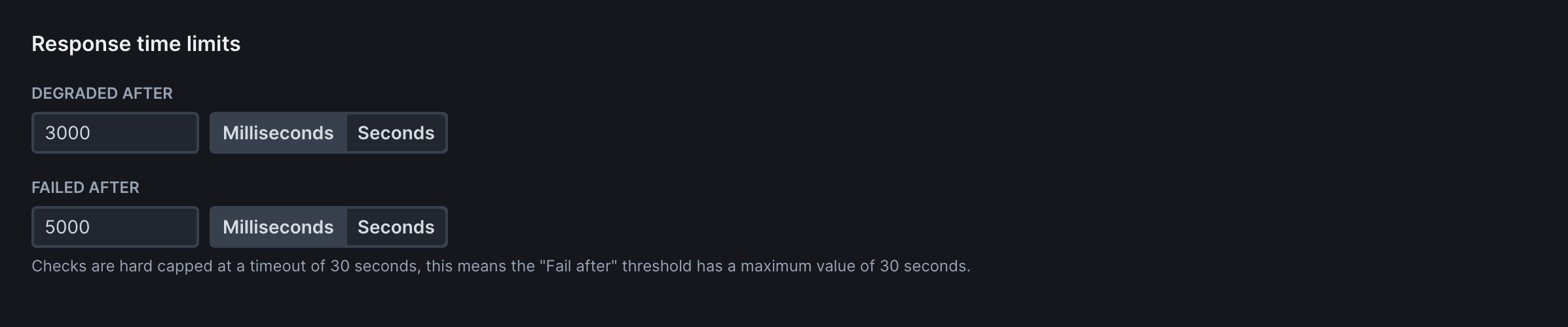
Frequency
Determine how often your monitors run.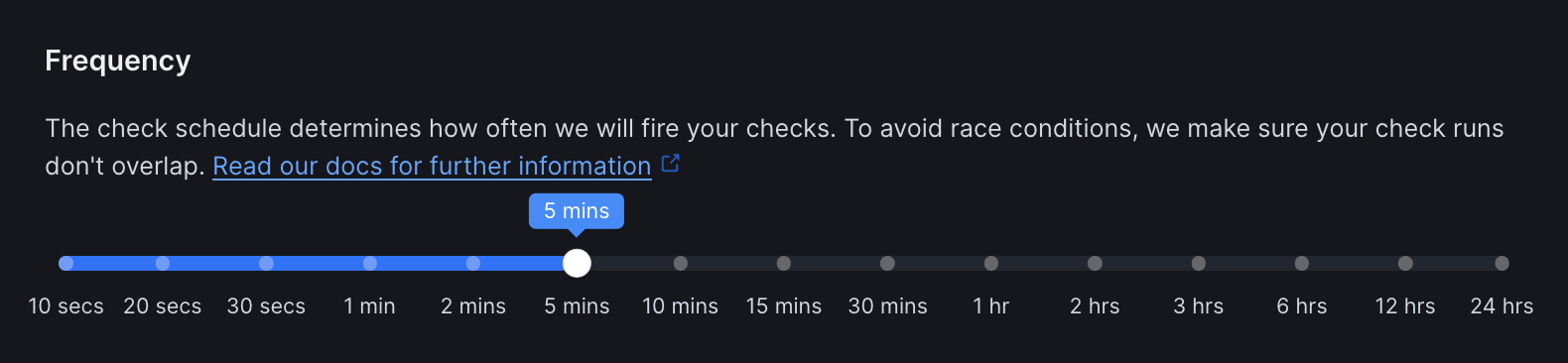
Scheduling Strategy
Choose when and how your checks run across multiple locations:
Locations
Select from Checkly’s global monitoring locations to test your URLs from different regions: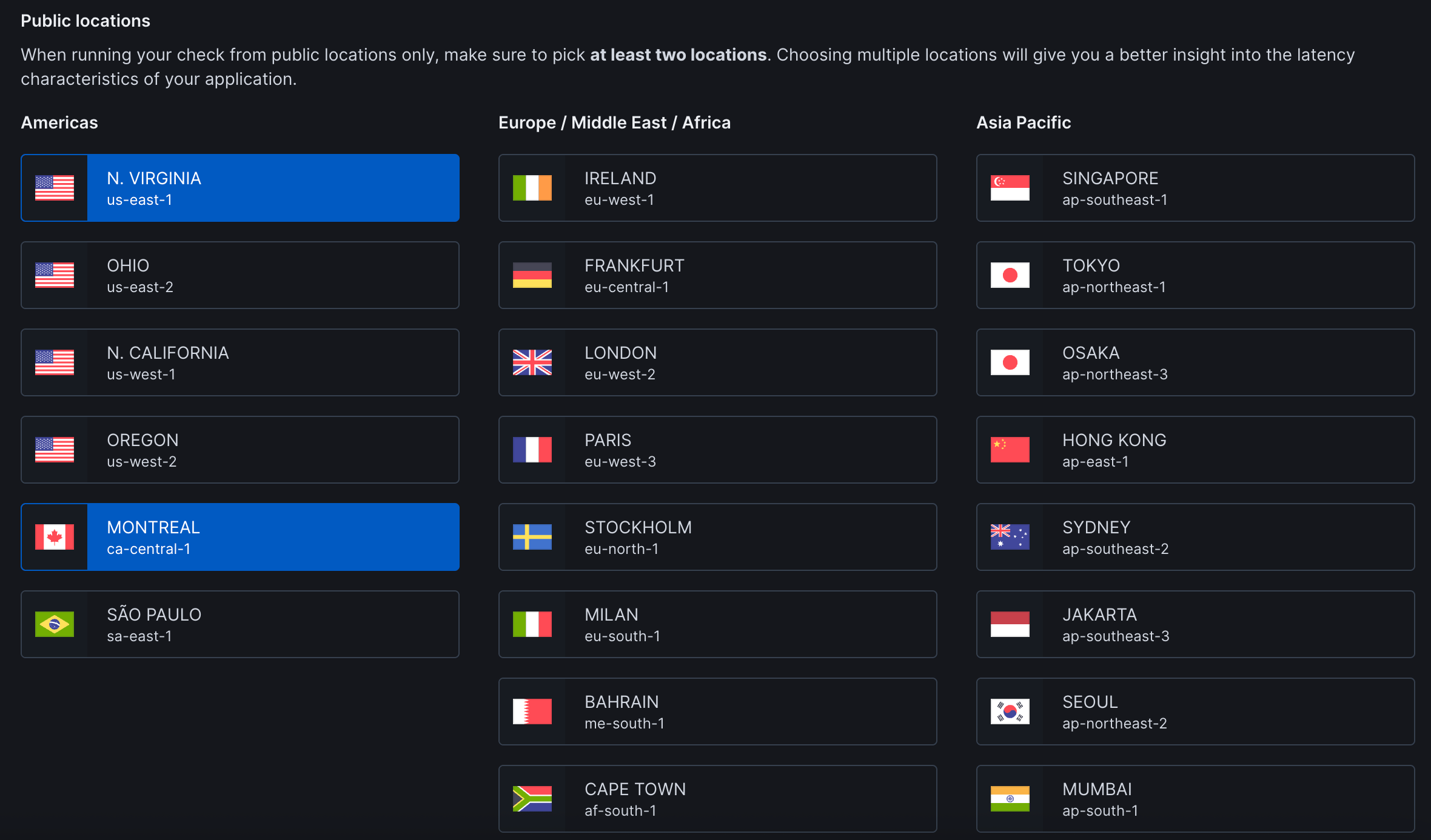
Private Locations: Run checks from your own infrastructure to monitor internal applications, check services behind firewalls, or maintain data residency compliance. Set up Private Locations →
Retries
Select the retry strategy to determine how failed checks are retried:
Alert Settings
Configure notifications for your team: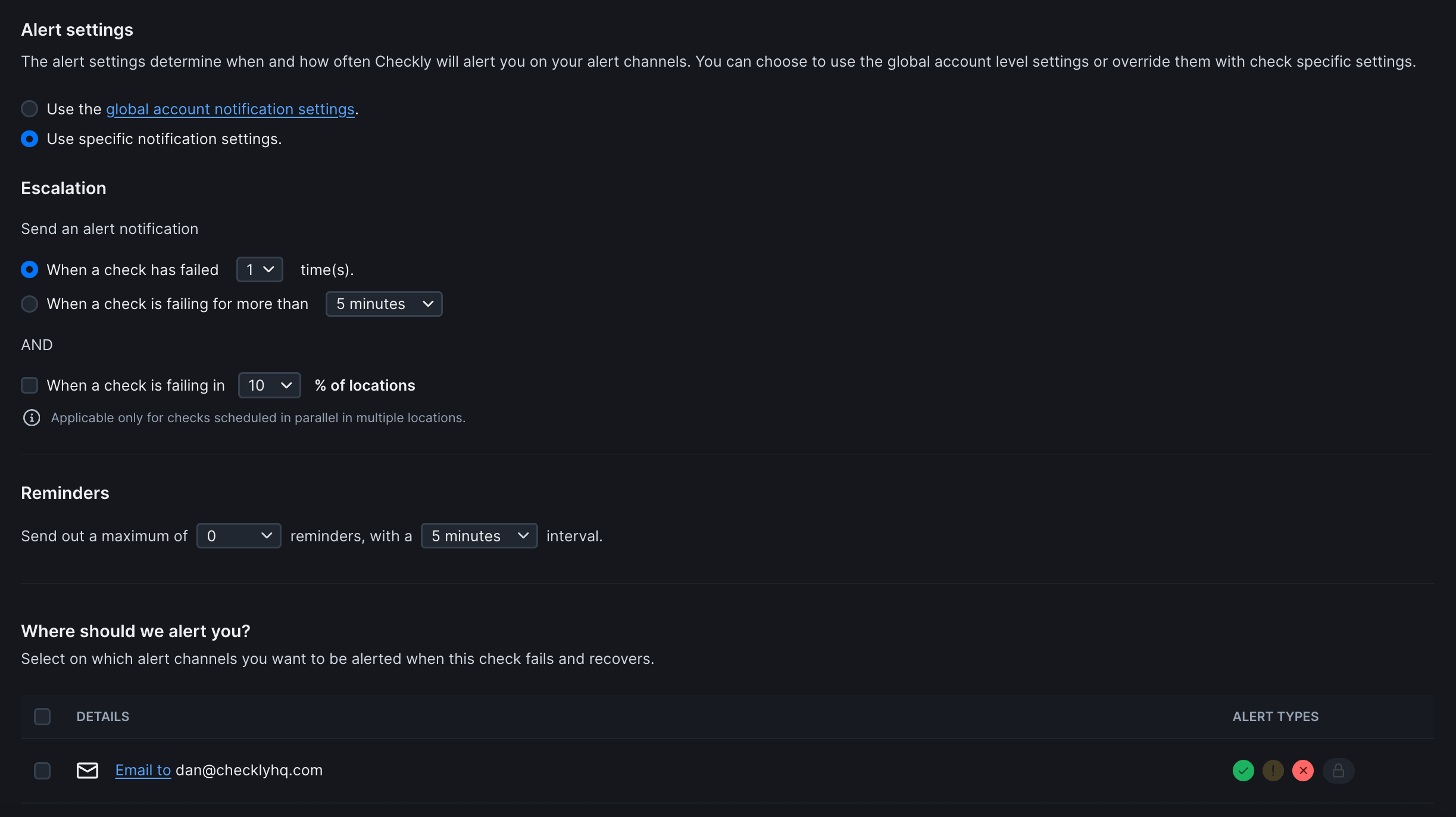
Notification Scope
Choose how alerts are configured for this monitor:Escalation Rules
Control when alerts are triggered: Primary Trigger (Choose one):- When a check has failed X time(s): Sends alert after specified consecutive failures
- When a check is failing for more than Y minutes: Sends alert if failure duration exceeds threshold
- When a check is failing in Z% of locations: Only applies to checks running in parallel across multiple locations
Reminders
Configure follow-up alerts after initial failure notification:Alert Channels
Define where notifications are sent when checks fail or recover. Additional channels can be configured in global notification settings. Alert Types (per channel):- ✅ Success/Recovery: Check has recovered from failure
- ⚠ Degraded: Check is degraded but not failed
- ❌ Failure: Check has failed
Global Alert Settings: By default, monitors inherit your account’s notification preferences. Select “Use specific notification settings” to customize alerts for individual monitors.